Rappasoft app / macOS / Available now
PageDiff: Compare PDFs
See what changed between two PDFs.
Choose two PDFs on your Mac, then review changes to their text and rendered pages. PageDiff works locally, without uploading the documents.
01 / Review a revision
From two files to the changes that matter.
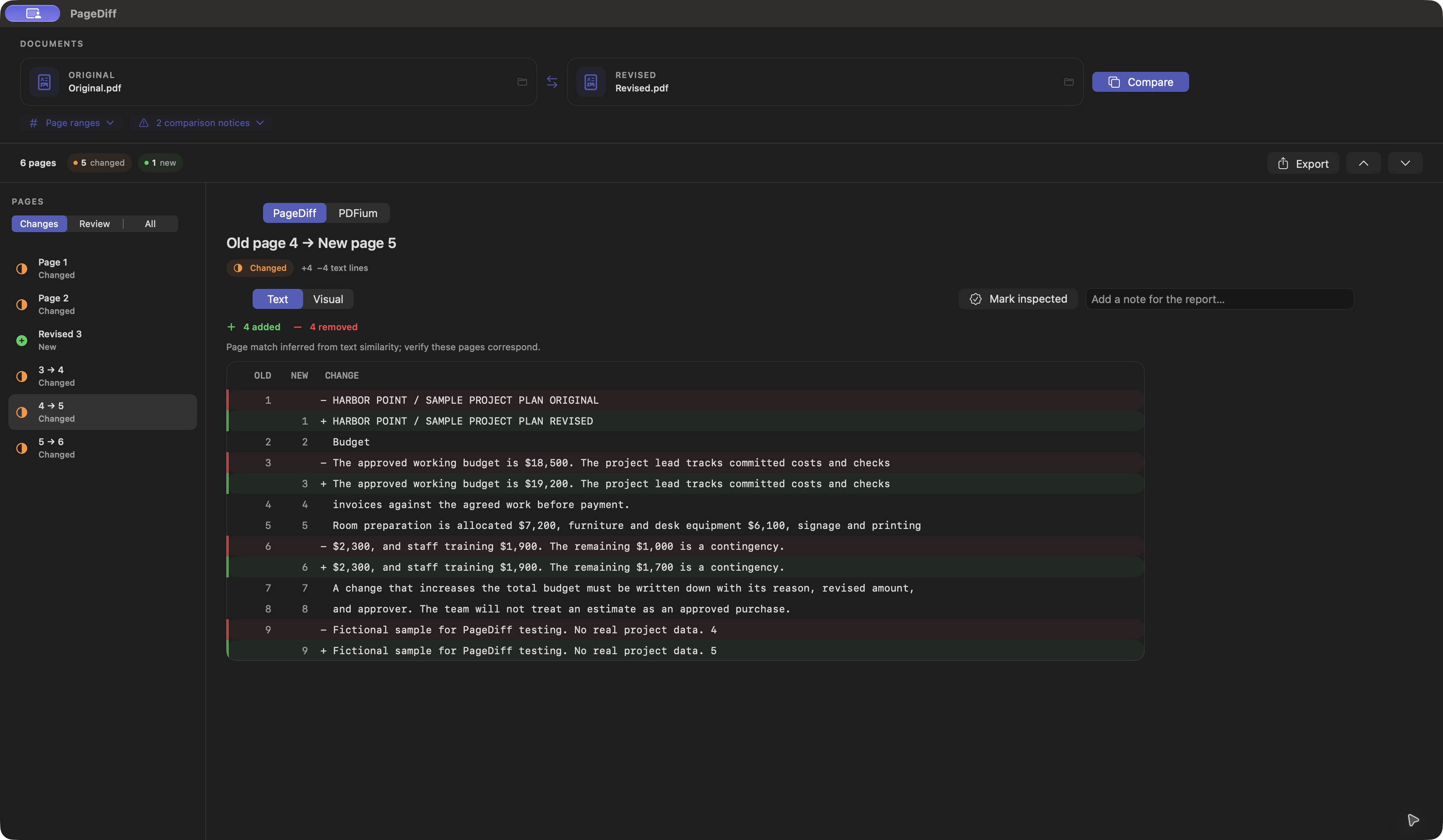
Choose or drop an original and a revised PDF. Compare whole documents or a separate page range for each. Screenshots compare fictional project-plan PDFs.
02 / Inspect the changes
Text, pages, and room for your judgment.
Follow changed pages, inspect uncertain matches, and record what you've checked.
01 / Compare
Text and visible differences
Switch between a line-by-line text diff and rendered page views. Visual outlines point to differences that need a closer look. Image-only pages can use on-device text recognition.
02 / Inspect
Review page matches
Move through changed pages, new and removed pages where PageDiff can identify them, and pages that need your review. Pair uncertain pages manually and mark pages inspected.
03 / Record
Notes and a PDF report
Add notes while reviewing. Export a PDF with the comparison summary, relevant page previews, text differences, and your review notes to a location you select.
03 / Look closer
See the pages. Keep your review together.
Use the visual comparison alongside the text results, then save a report before closing your work.
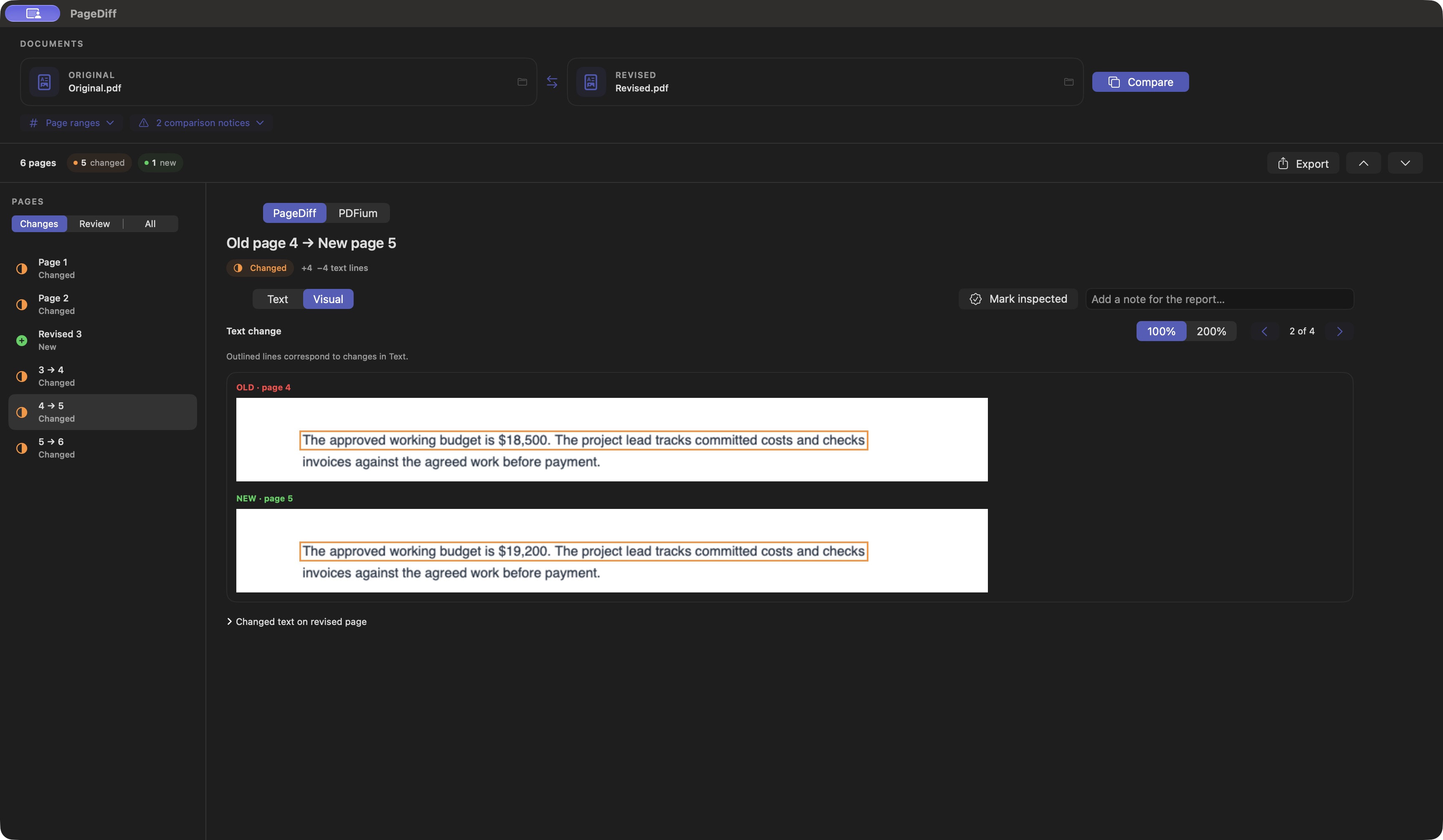
Review visible changes
Compare rendered pages when words alone do not tell the whole story. Layout or rendering changes may also appear as differences, so inspect the source PDFs alongside the result.
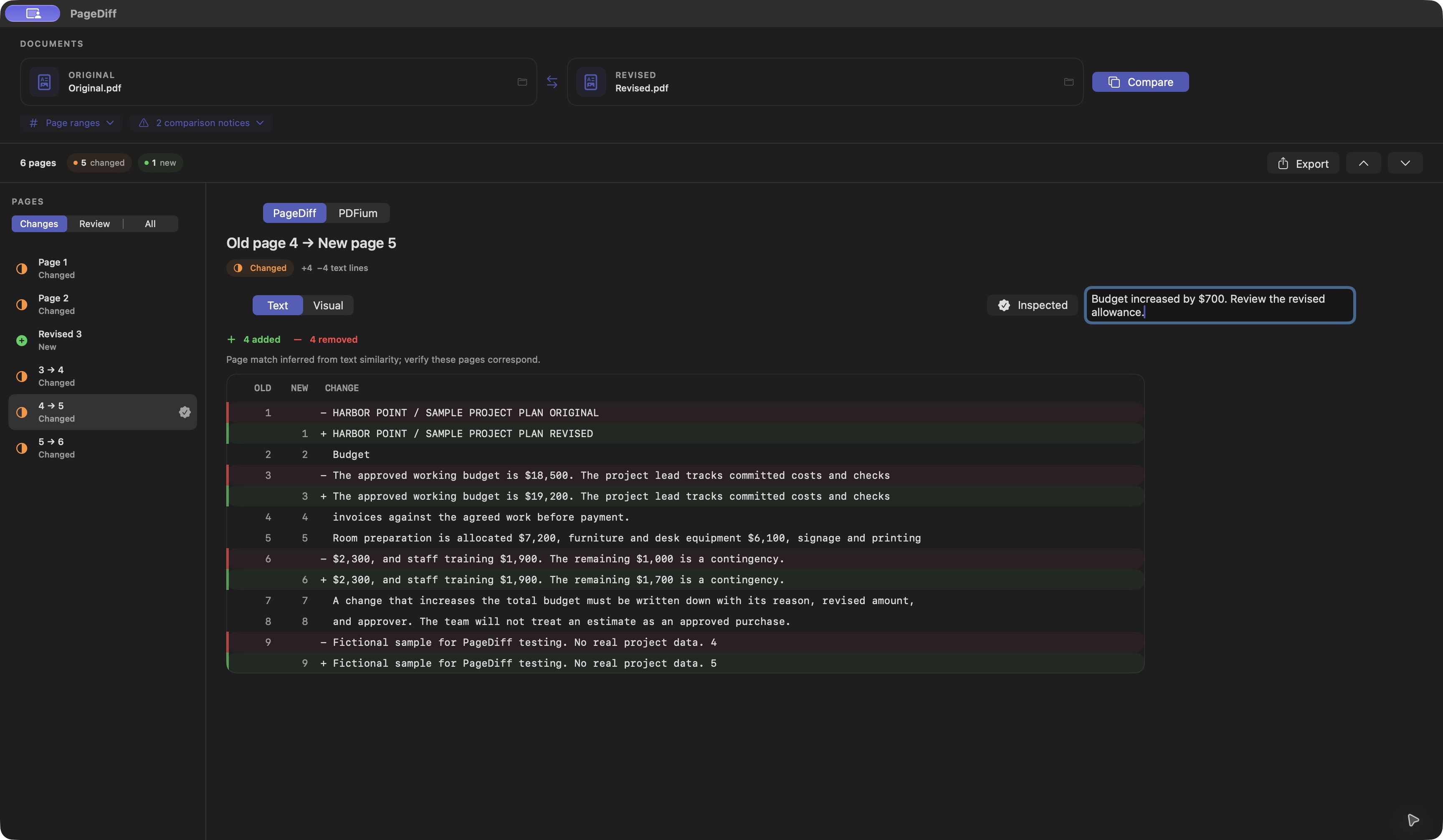
Capture your review
Inspection marks and notes belong to the open comparison. Export a report to keep them; closing or replacing the comparison discards the in-app review work.
04 / Good to know
Made for macOS 14 or later.
PageDiff is available on the Mac App Store. PDF comparison and text recognition run on your Mac, without a PageDiff account or cloud comparison service.
Are my PDFs uploaded?
PageDiff does not transmit your PDFs, comparison results, or notes to Rappasoft or a third party. It reads the files you choose without changing your source PDFs or making its own persistent copy. Files in iCloud Drive or another synced folder remain subject to that provider's settings.
Can I rely on a clean result?
Page matching, text extraction, and recognition of scanned text can be uncertain. A clean visual result only means no difference was found at the comparison resolution. Check the source PDFs before relying on a result for consequential work.
Does PageDiff save my review?
Review decisions last only for the open comparison. Export Report saves a standard, unencrypted PDF that can contain filenames, page previews, text differences, and notes. Keep reports somewhere appropriate for the documents they contain.
Where can I download it?
Get PageDiff from the Mac App Store. It is a one-time purchase, with no PageDiff subscription. Apple handles payment, installation, and app updates. Prices vary by region.
PageDiff support
For help, email [email protected]. Include your macOS version, the PageDiff build you're using, and what happened. Please don't attach private PDFs or reports unless you choose to share them for troubleshooting.
Read the PageDiff privacy policy for details about selected files, reports, and deletion.