
Rappasoft app / macOS / Direct download
Tuck: Menu Bar Organizer
A tidier menu bar. Your apps still handy.
Choose the apps you want to tuck away, then open Tuck's menu bar icon to find them in a compact tray. Keep the menu bar clear and your everyday tools close.
01 / Within reach
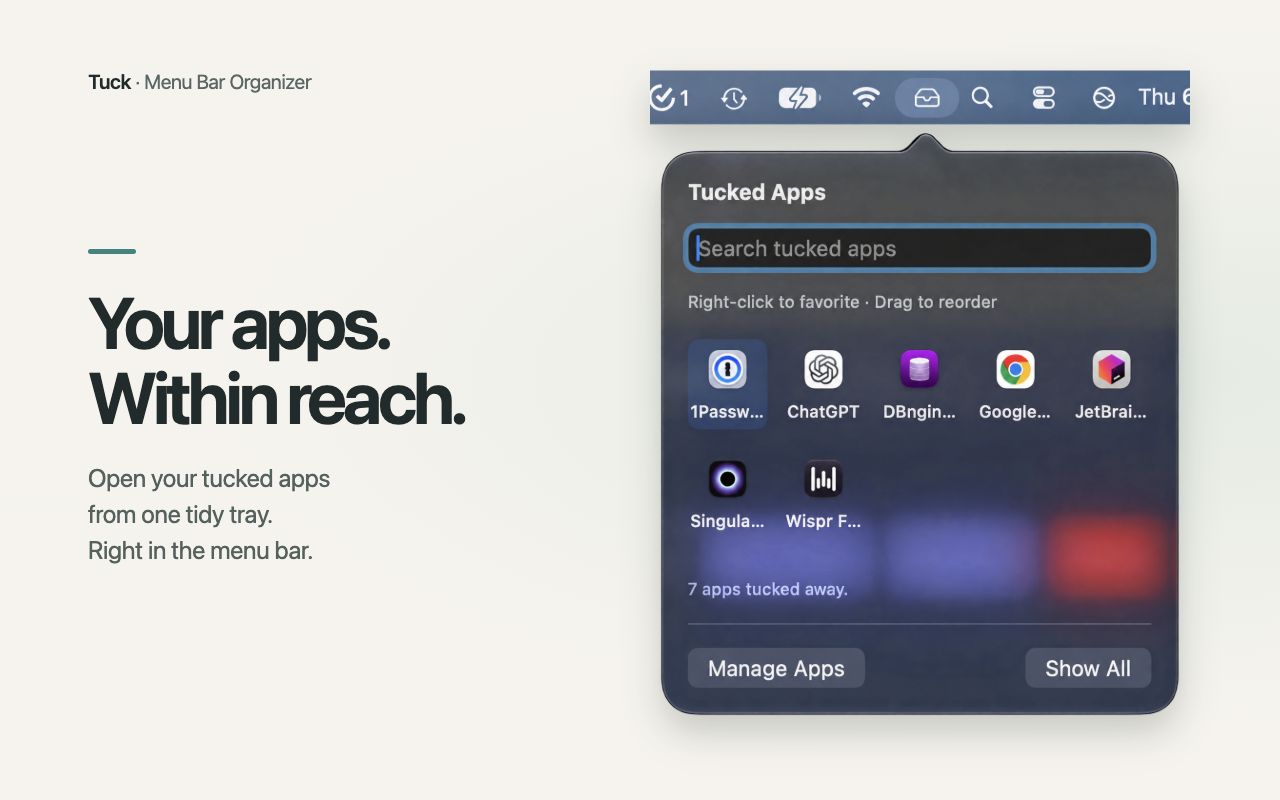
One tray for the apps you tuck.
Open it from the menu bar or your keyboard. Search by app name, then reach the app you need.
02 / Your menu bar
Keep the useful parts close.
Choose what stays visible and bring the rest back whenever you need it.
01 / Choose
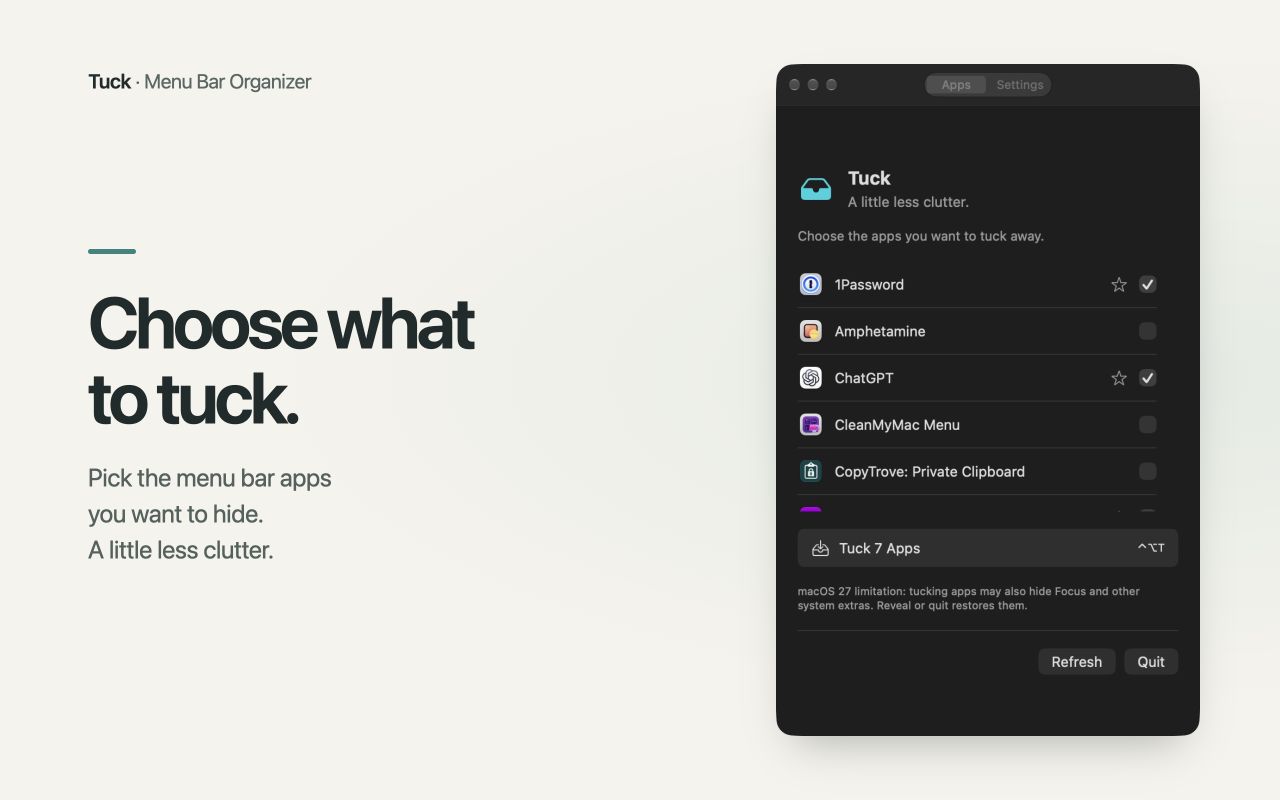
Tuck selected apps
Select running apps with menu bar icons and tuck them away together. Show All restores their icons with one click. Apps with several icons appear as one item in the tray.
02 / Find
Search and Favorites
Search the tray by app name. Right-click an app to make it a Favorite, then drag to arrange your Favorites and remaining apps in the order you prefer.
03 / Open
Reach the app's menu
Click a tray item to reveal its icon and open supported menus. Automatic retucking hides the icon again after the menu closes when the app supports it.
03 / Make it yours
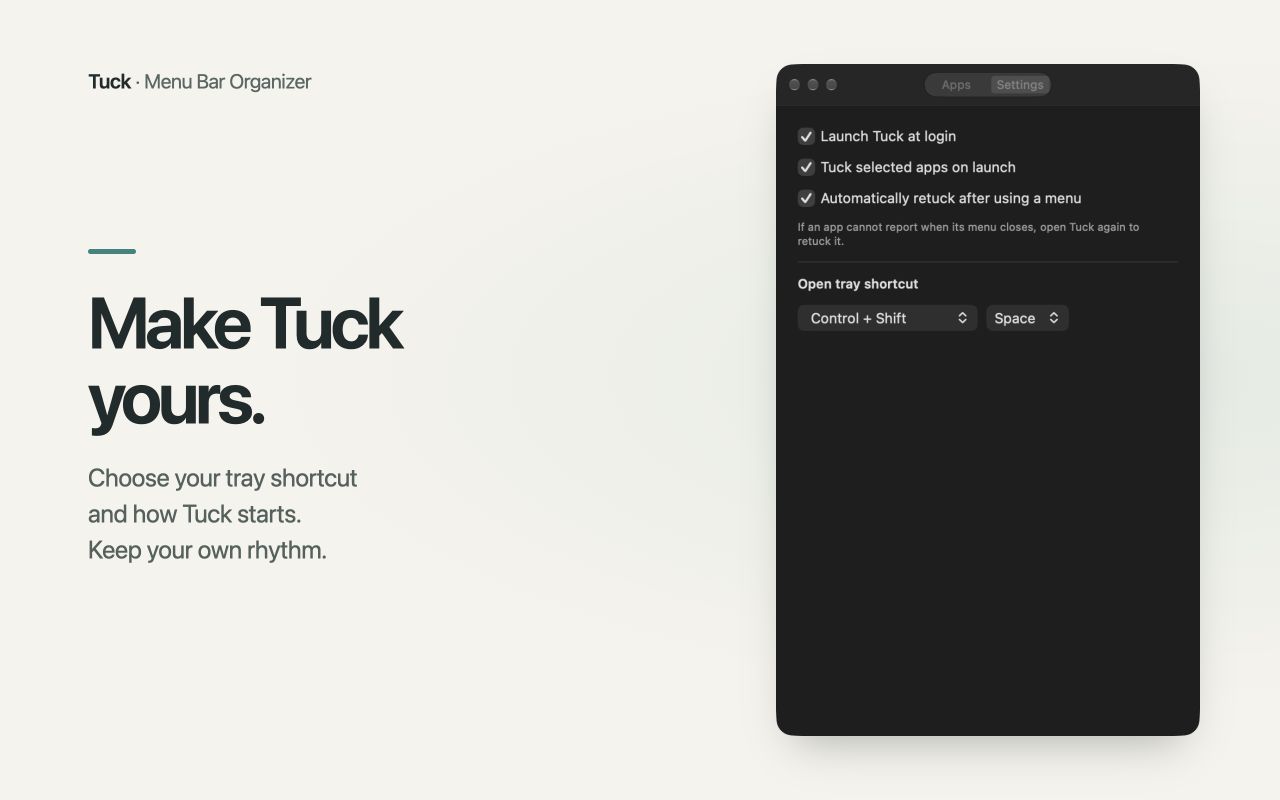
A few choices. A calmer menu bar.
Set a tray shortcut, choose whether to launch at login, and decide whether to tuck your selections at startup. Your choices stay on your Mac.
04 / Before you buy
Made for Apple silicon and macOS 27.
Tuck requires a Mac with Apple silicon running macOS 27. Intel Macs and earlier macOS versions are not supported. Tuck needs Accessibility permission to discover and open app menus. It does not need Screen Recording permission.
Menu compatibility
Some apps do not support opening their menus from Tuck or reporting when a menu closes. In those cases, use the revealed icon directly and open Tuck's tray again to retuck it, or choose Show All.
While apps are tucked, macOS may also hide Focus, AirDrop, and other system icons, and clicking the clock may not open Notification Center. Show All or quitting Tuck restores them. macOS updates can change menu bar behavior.
Install and get started
- Download the Tuck ZIP from your purchase receipt, unzip it, and drag Tuck to Applications.
- Open Tuck and enter the license key from your receipt on the activation screen. An internet connection is needed to activate each Mac.
- Grant Accessibility permission in System Settings under Privacy & Security.
- Use Manage Apps to select apps, then choose Tuck Apps. Click Tuck's menu bar icon to open your tray.
Closing Manage Apps leaves Tuck running in the menu bar. Show All brings the icons back; quitting Tuck restores them and keeps your saved choices for next time.
Updates without another checkout
Tuck includes Check for Updates and optional automatic checks, with update information and signed app updates hosted on GitHub over HTTPS. Updates keep your existing activation, so you do not need to buy Tuck again or enter your key after each update. A GitHub account is not required.
How does the license work?
One $4.99 purchase gives you a license for up to two Macs. The license never expires, and there is no subscription. Lemon Squeezy sends your key with your purchase receipt.
Can I use Tuck offline?
Activate each Mac while connected to the internet. Tuck remembers that activation locally so you can keep using it offline, without an offline time limit. When online, Tuck periodically checks that the license is still valid. A disabled or invalid license stops access; an ordinary failed license check keeps your activation. If Tuck closes during a license check, or a deactivation cannot be confirmed, an online check may be needed before you can use it again. Checking for updates requires an internet connection.
Can I move Tuck to another Mac?
Open Manage Apps → Settings → License and choose Deactivate This Mac to free one of your two activations, then enter the same key on your new Mac. Activation and deactivation require an internet connection. If you no longer have access to the old Mac, contact support.
Do public update downloads include a license?
The signed app files are available through GitHub so automatic updates work without a GitHub account. Downloading an app file does not grant a license; a purchased Tuck key is required to activate it.
Tuck support
For help, email [email protected]. Include your macOS version, Tuck version, the affected app's name, and what happened. Leave private app content out of screenshots and support messages.
Purchases and initial downloads are handled by Lemon Squeezy. Applicable taxes are shown at checkout. Read the Tuck privacy policy.