Rappasoft app / Mac, iPhone, iPad & Android / Available now
Crownlog: Watch Collection
Your watches. Your story.
A home for the watches you own and the ones you're still thinking about. Keep the references, prices, service dates, and little details that make a collection yours.
01 / A home for your watches
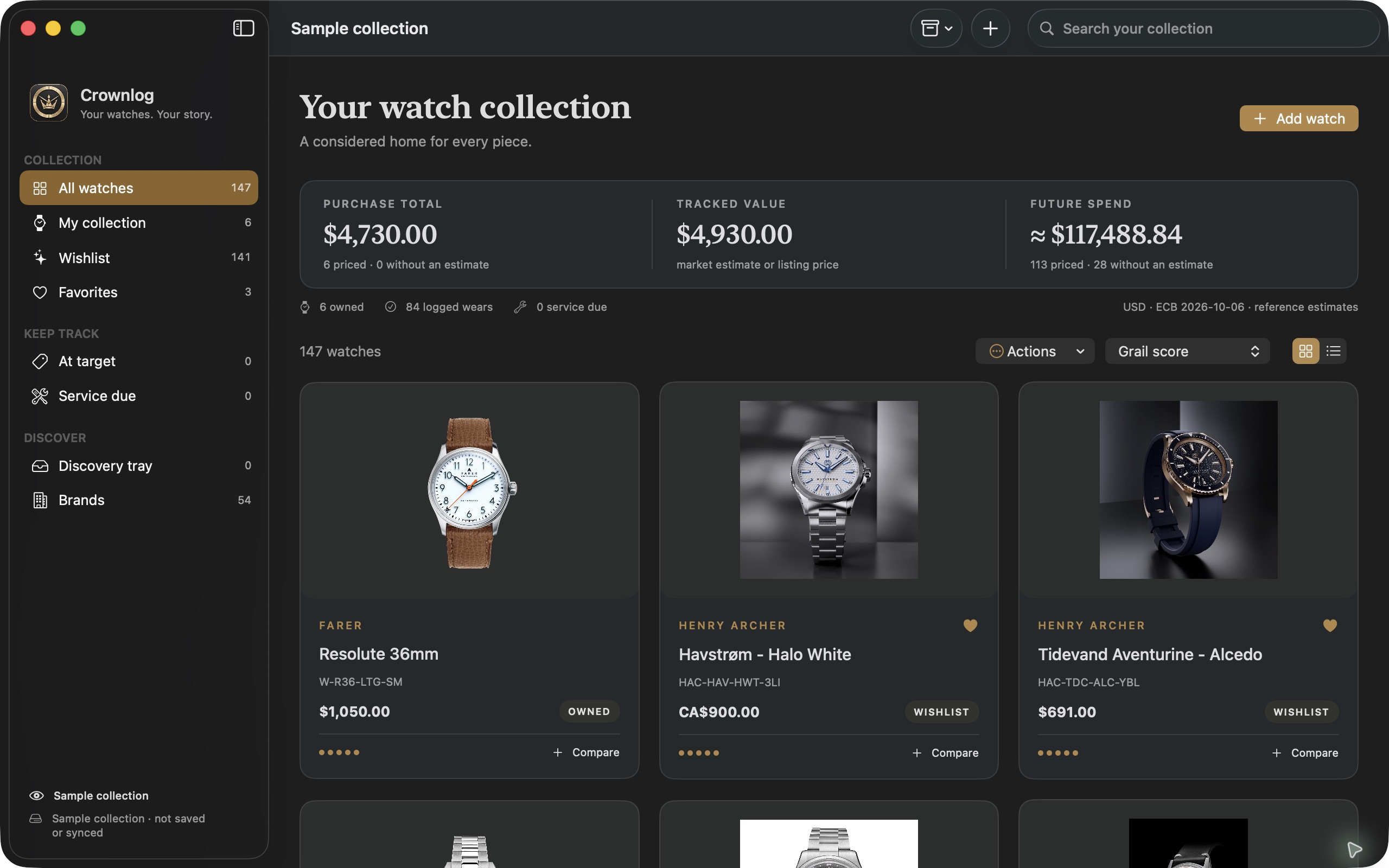
The collection and the shortlist.
Browse your watches in a gallery or list, search notes and references, and keep owned watches separate from your wishlist. Mac screenshots show Crownlog's separate sample collection, with illustrative ownership and value data.
02 / More than a reference
Remember what makes each watch yours.
Keep useful records, compare your next purchase, and follow prices with context.
01 / Record
The details that matter
Save photos, purchase details, notes, and service dates. Log wears and follow listing-price history. The collection ledger shows purchase cost, tracked value, and wishlist spend.
02 / Consider
A thoughtful shortlist
Favorite watches you're considering, set a grail score and target price, or compare up to three watches. Watch roulette gives a wishlist watch another look.
03 / Discover
Prices with context
Add watches manually or read details from a public product link. Follow a brand or retailer and review catalog finds in the Discovery tray. Manual entry stays available when a website blocks access or omits details.
03 / Take a closer look
Keep the story. Compare the choices.
Move from the collection to an individual watch, then line up the pieces you're considering.
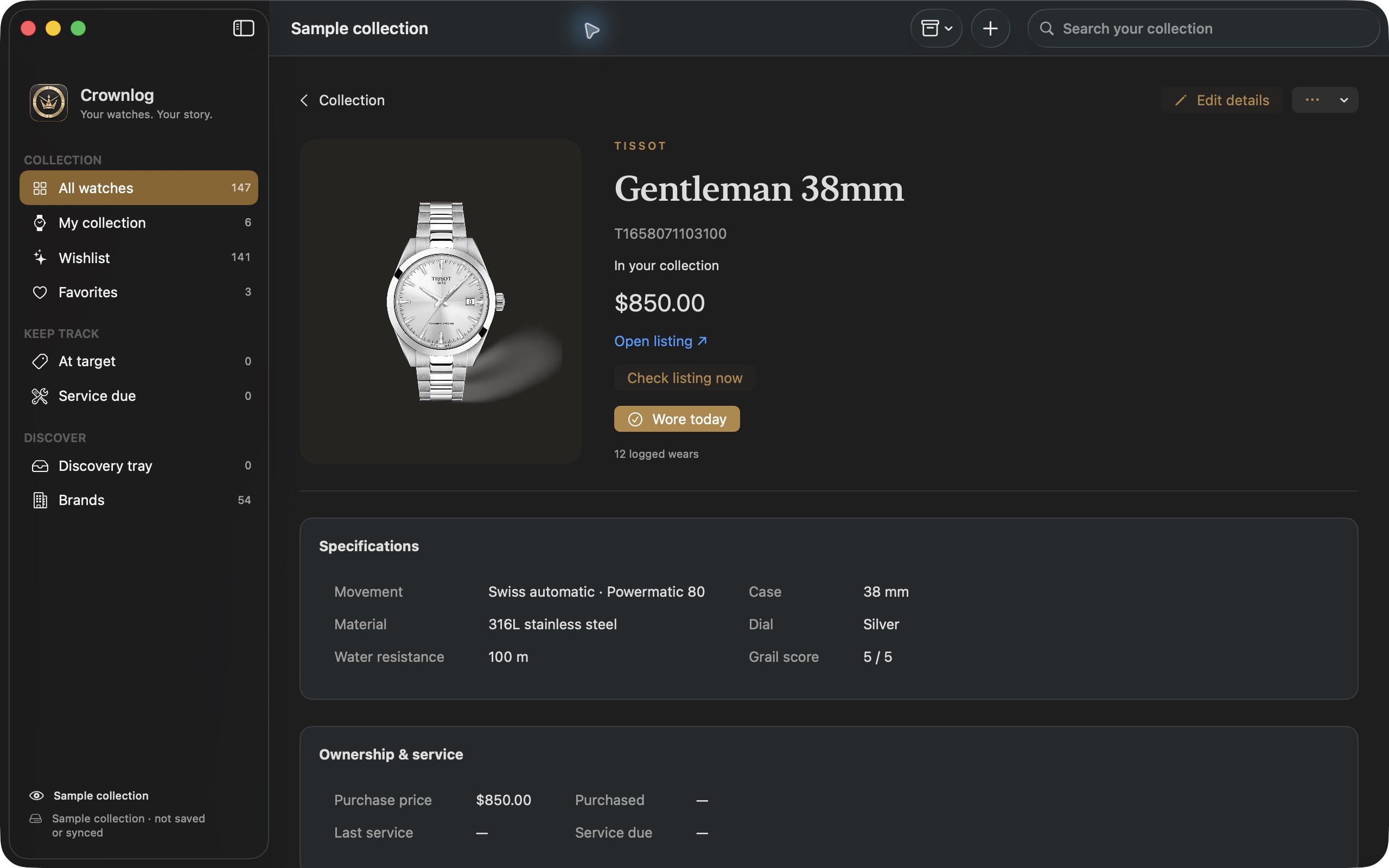
A record for each watch
Keep the reference, saved photos, notes, and price history together. Choose your preferred totals currency in Settings; saved ECB reference rates remain available offline.
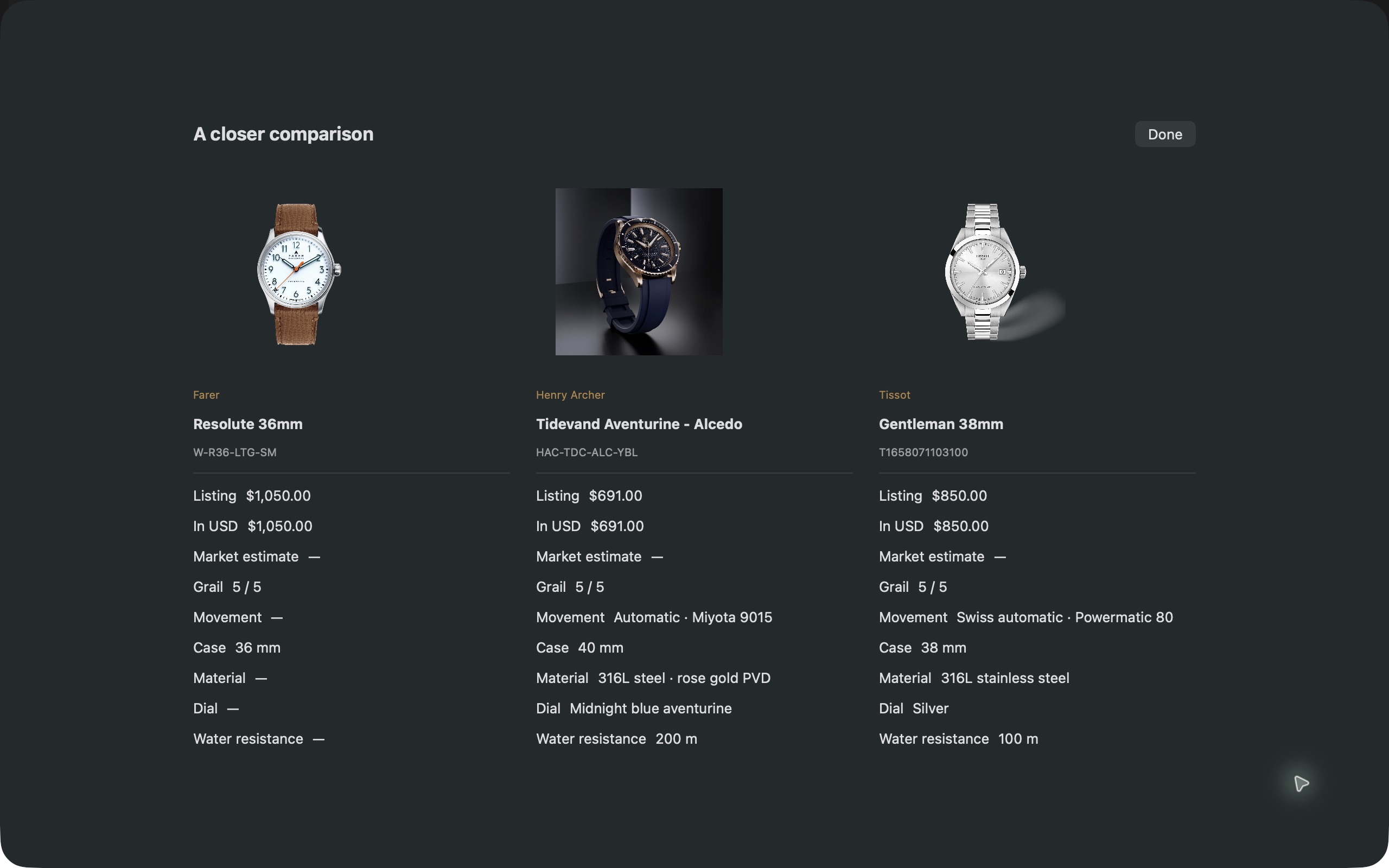
Compare before you decide
Review up to three watches together. Keep target prices and your own market estimates, or optionally connect a personal The Watch Info API key and choose a matching model.
04 / Good to know
Made for Mac, iPhone, iPad, and Android.
The Apple apps require macOS 14 or later or iOS 17 or later. Check Google Play for Android device compatibility. Crownlog saves your collection locally first. On Mac, iPhone, and iPad, it syncs through your private iCloud account when you use the same Apple Account with iCloud enabled. Sync may take a little time and resumes when iCloud is available.
Android keeps a local collection with optional system backups, depending on your device, account, and settings. Android backup is not live synchronization and does not connect to your iCloud collection. Keep a separate JSON export for larger photo collections; Google's cloud backup has a 25 MB per-app limit.
Do I need a Crownlog account?
No Crownlog login is required, and Rappasoft does not run a server storing your collection. Apple sync uses your own iCloud storage. Local records and exported files do not have Crownlog password protection or app-level encryption; use your device's account security and built-in encryption, and keep backups private.
Are market prices an appraisal?
Market prices and currency conversions are estimates, not offers or appraisals. You can record estimates yourself. Provider estimates are optional and require your own The Watch Info API key, kept in your device's Keychain on Apple devices or encrypted using Android's Keystore. Product-link and catalog features contact the websites you choose.
Can I move my collection from the original web app?
Export a JSON backup from the original Crownlog web app, then choose Vault → Import Crownlog JSON in the Mac app. Import merges matching record IDs and keeps unrelated watches. Export a JSON backup before major changes; CSV is useful for Numbers and Excel. Both exports are unencrypted.
Can I explore a sample collection?
On Mac, Help → Preview sample collection opens sample watches in a separate library that never saves or syncs. Help → Crownlog Guide explains the controls.
Where can I download it?
Crownlog is available on the App Store for Mac, iPhone, and iPad and on Google Play for Android. Your local store shows current pricing and device compatibility.
Can I run the web version myself?
The Crownlog web version on GitHub runs locally on macOS, Windows, or Linux with Node.js. It stores your collection on your computer and is source-available for noncommercial use. Visit the repository for setup instructions and license details. The Mac App Store version is a native Mac app with private iCloud sync.
Crownlog support
For help, email [email protected]. Include your device and operating-system version, Crownlog version, and what happened. Please leave API keys, private purchase details, and full collection backups out of your message unless they're needed and you choose to share them.
Read the Crownlog privacy policy for details about iCloud, online requests, exports, and deletion.