Rappasoft app / macOS / Available now
CopyTrove: Private Clipboard
Keep copies. Filter secrets.
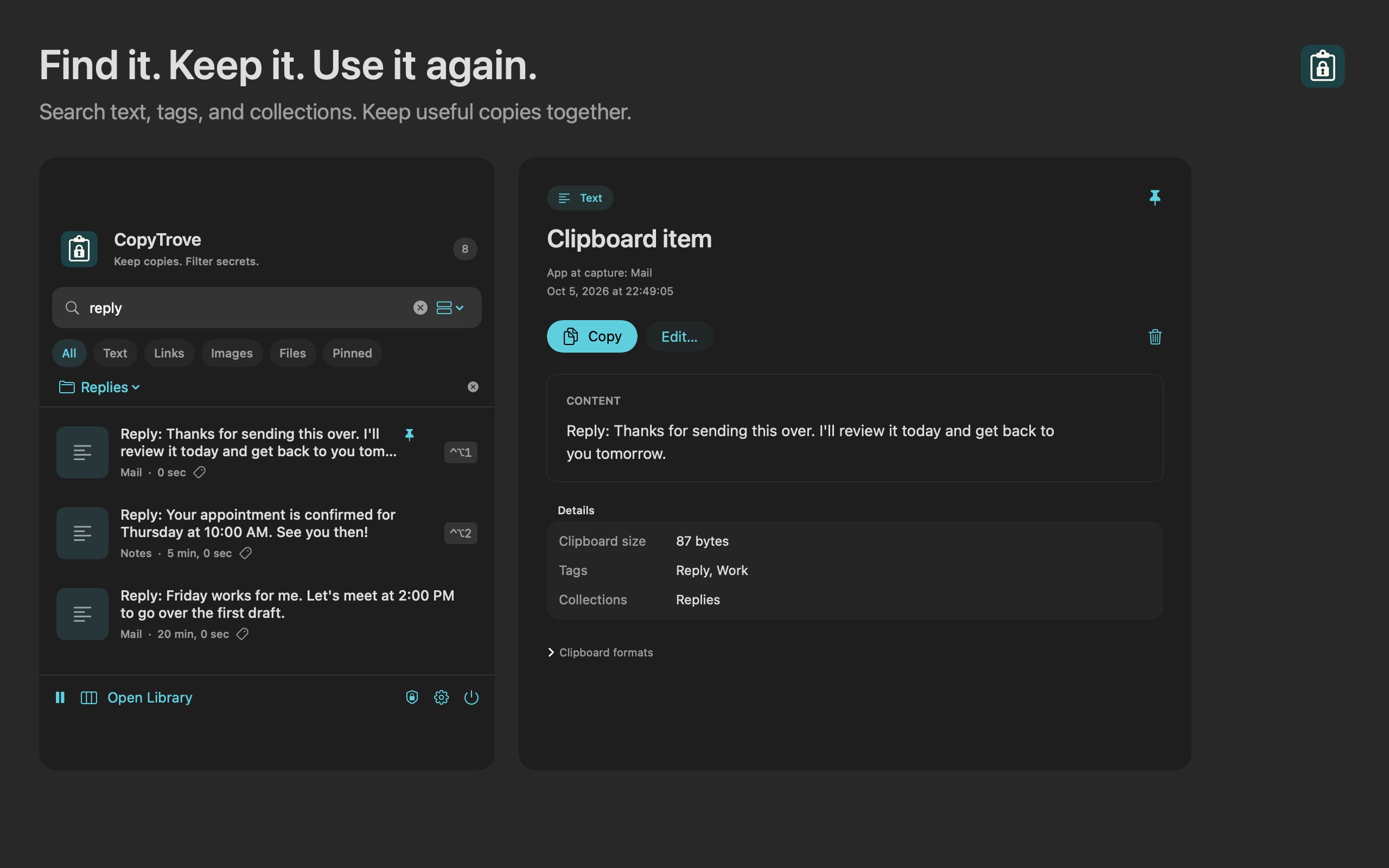
Find the text, link, or image you copied earlier. CopyTrove keeps a searchable clipboard history in your Mac's menu bar, with encrypted storage and optional iCloud sync.
01 / Find it again
Your copies, easy to find.
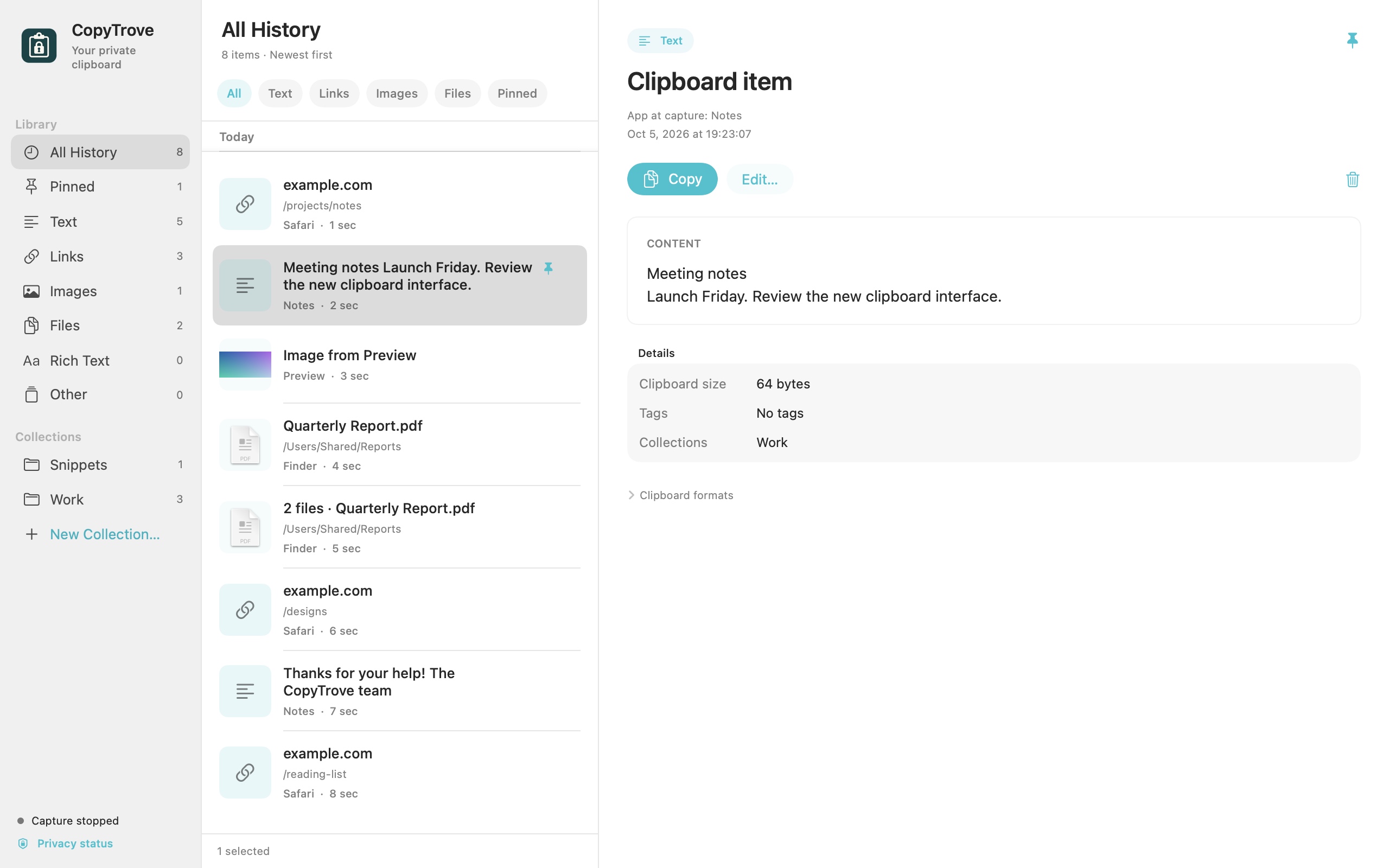
Browse recent copies, search their content, and keep the useful ones close. Screenshots use sample clipboard items.
02 / Keep the useful parts
A clipboard with room to remember.
Restore an earlier copy, organize things you use often, and choose what stays in history.
01 / Find
Search your history
Browse copies in chronological order and filter text, links, images, or file references. Select an item to copy it to your clipboard, or use a keyboard shortcut for one of your four most recent copies. Switch to your destination app and press ⌘V to paste.
02 / Organize
Pins, tags, and collections
Pin things you use often, label them with tags, or put related copies in a collection. Keep reusable text and links alongside the things you copied today.
03 / Control
Choose what gets saved
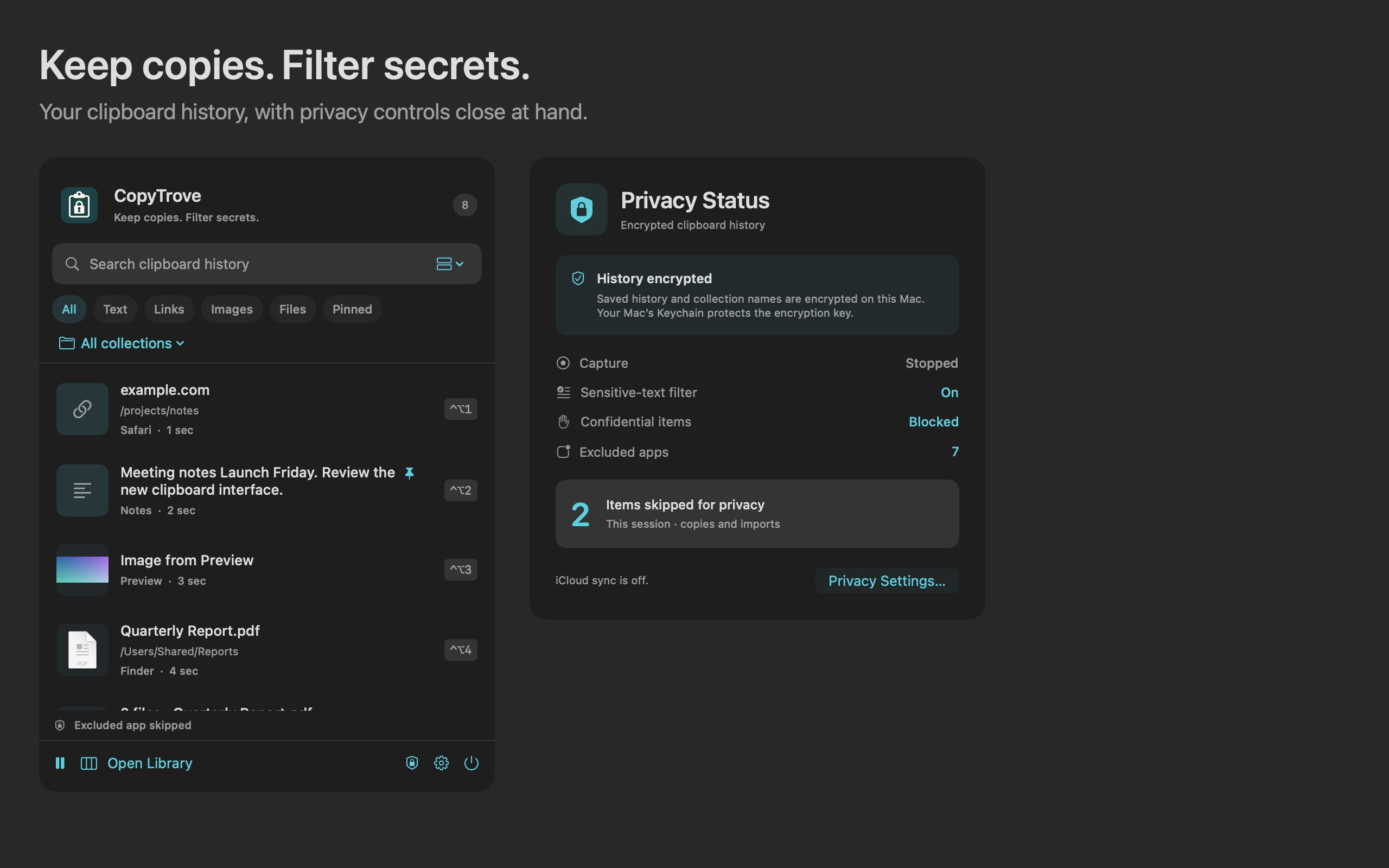
Pause capture or exclude apps from history. Sensitive-text filtering checks locally for likely Social Security numbers, card numbers, and recognizable credentials before saving text.
03 / On your terms
Encrypted history. Optional sync.
Saved clipboard history is encrypted on your Mac. If you enable iCloud sync, eligible content is encrypted before upload to your private iCloud account.
Local privacy controls
Filtering can miss unmarked passwords and secrets inside images. App exclusions observe the app active at capture, which may differ from the app that copied the item. Filtering does not erase the original system clipboard or items already saved.
Keep what matters
Sync eligible history or just pinned items. File references and oversized entries stay local. Sync is optional and off by default; you can use CopyTrove on one Mac without it.
04 / Good to know
Made for your Mac.
CopyTrove requires macOS 13 or later. Optional iCloud sync requires macOS 14 or later, the same Apple Account on your Macs, and iCloud Keychain.
How do I paste a saved item?
Select a saved item to copy it to your clipboard, then switch to your destination app and press ⌘V to paste. CopyTrove does not request Accessibility permission or send keystrokes to other apps.
Is everything encrypted?
Saved history and collection names are encrypted, with the local key kept in macOS Keychain. Capture settings and app exclusions are stored locally without encryption. Your system clipboard remains available to other apps under macOS's clipboard rules.
Can I back up or remove my history?
You can delete entries, clear history, set a history limit, or export a JSON backup. Exported JSON files are unencrypted, so keep them somewhere private. Changing filters does not remove previously saved or synced items. When sync is enabled, deletion needs a working iCloud connection to reach your other Macs.
When can I download it?
CopyTrove is available on the Mac App Store. It costs $1.99 in the US as a one-time purchase. Prices vary by region; your local store shows the current price.
CopyTrove support
For help, email [email protected]. Include your macOS version, CopyTrove version, and what happened. Please leave passwords and other sensitive clipboard content out of your message.
Read the CopyTrove privacy policy for details about local storage, iCloud, permissions, and deletion.